Introduction
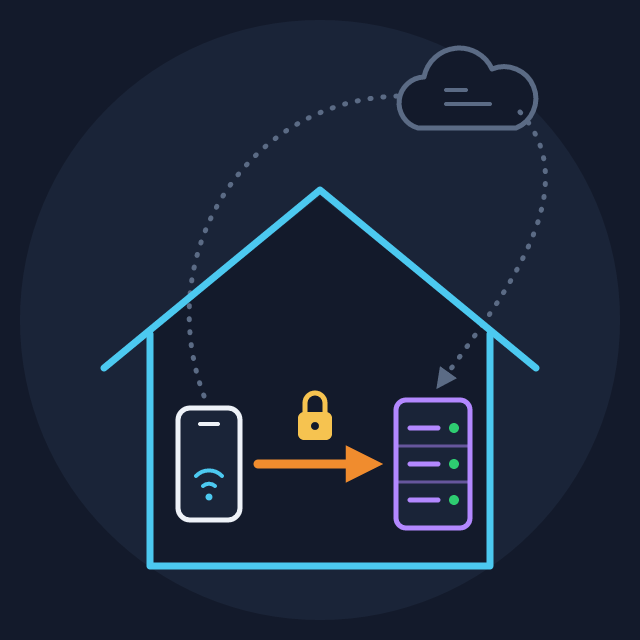
My audiobook server runs at home, on the same network as my phone. Yet when I pressed play on that phone, the request left the house, crossed the internet to a rented server in a datacentre, entered a tunnel, came back to the house and reached a pod a few network hops from where it started. The audio then took the same road in the other direction.
That is the price of the setup I described in the Pangolin post: no open port at home, every public service reached through a tunnel from a VPS. It is great from a café. From my own sofa it is a long detour.
The usual answer is split DNS: the same name gives a different IP address depending on where you ask from. This post is about setting it up when the public side is a tunnel, with one constraint I did not want to give up: the URL must be exactly the same inside and outside, HTTPS included, so that no app on any phone needs to be reconfigured.
Three Concepts Before the Setup
Split DNS (or split-horizon DNS). A DNS resolver can answer some names itself instead of asking the internet. If the resolver of my home network says “rss.example.com is 192.0.2.20” (a local address), devices at home go there directly. Devices outside ask a public resolver and get the VPS address. Same name, two answers.
The certificate follows the name, not the path. A browser that opens https://rss.example.com expects a certificate valid for rss.example.com, whoever answers. On the public path the VPS presents it. If my home network answers instead, something at home must hold a valid certificate for the same public name. A self-signed one would break every mobile app.
DNS-01 challenge. Let’s Encrypt can verify that you own a domain by asking you to create a DNS record, instead of connecting to your server. That works for a machine no one can reach from the internet, and it is the only method that issues wildcard certificates (*.example.com).
One thing split DNS is not here: an alternative to NAT reflection. That trick sends LAN traffic aimed at your public IP back inside. With a tunnel, the public IP belongs to the VPS. There is no port forward at home to reflect to.
What I Had
Three pieces were already in place.
- A resolver I control. My firewall (pfSense) runs Unbound, and every device and every Kubernetes pod resolves through it. It already answered a private zone,
*.local.example.com, for internal tools. - A Gateway that routes by host name. In the cluster, a Cilium Gateway listens on port 80 of a load-balancer IP. The tunnel delivers public requests there, and one
HTTPRouteper application picks the right service from theHostheader. It speaks plain HTTP: on the public path, TLS ends on the VPS. - An internal reverse proxy with certificates. Traefik listens on port 443 of the same IP for the
*.local.example.comtools. It gets a wildcard certificate from Let’s Encrypt with the DNS-01 challenge.
So the routing existed, and the TLS machinery existed. They just were not connected.
The Design
graph TD
    PHONE[Phone on home Wi-Fi] -->|1. rss.example.com?| DNS["Firewall resolver (Unbound override)"]
    DNS -->|192.0.2.20| PHONE
    PHONE -->|2. HTTPS :443| T["Traefik: wildcard certificate, one catch-all router"]
    T -->|3. HTTP, Host header kept| GW[Cilium Gateway :80]
    GW -->|4. HTTPRoute| APP[Application pod]
    OUT[Phone outside] -.->|public DNS| VPS[VPS + tunnel]
    VPS -.-> GW

    style DNS fill:#ae81ff,stroke:#272822,color:#fff
    style T fill:#ae81ff,stroke:#272822,color:#fff
Three decisions shape it:
- The DNS override list is the only selector. A host that is not overridden keeps the public path. Nothing else needs to know which hosts are “local”.
- Traefik gets no per-application entry. One router catches every public name and hands the request to the Gateway with its
Hostheader intact. The existingHTTPRouteobjects do the routing, exactly as they do for the tunnel. Adding an application later means zero changes on this side. - Outside, nothing changes. The public records, the VPS and the tunnel are untouched.
Step 1: A Catch-All Router
All of it is one block in Traefik’s dynamic configuration:
http:
  middlewares:
    public-local-hsts:
      headers:
        stsSeconds: 15552000        # 180 days (the reason comes later)

  services:
    cilium-gateway:
      loadBalancer:
        passHostHeader: true
        servers:
          - url: "http://cilium-gateway-homelab-gateway.gateway-system.svc.cluster.local:80"

  routers:
    public-local:
      rule: 'HostRegexp(`^[a-z0-9-]+\.example\.com$`)'
      priority: 1
      service: cilium-gateway
      entryPoints:
        - websecure
      middlewares:
        - public-local-hsts
      tls:
        certResolver: cloudflare
        domains:
          - main: "example.com"
            sans:
              - "*.example.com"
A few details that matter:
- The regular expression matches exactly one label under the domain.
rss.example.commatches,grafana.local.example.comdoes not, because[a-z0-9-]+cannot contain a dot. The internal tools keep their own routers. priority: 1makes this the router of last resort. Any explicit router wins.- The certificate needed no new secret. My DNS provider’s API tokens are scoped to a whole zone, not to a sub-domain. The token Traefik already used for
*.local.example.comcould sign*.example.comtoo. Convenient, and a reminder of how much that token can do.
Traefik reloads this file on change and requests the certificate right away. A minute later it was serving *.example.com on an IP that no DNS record pointed at yet.
Step 2: Test Before Touching DNS
That last sentence is the useful part: the whole path can be tested while nobody uses it. curl --resolve pins a name to an IP for one request, without touching any resolver:
for h in rss audiobooks recipes requests stats remote; do
  curl -sS -o /dev/null -m 10 \
    -w "$h %{http_code} %{ssl_verify_result} %{redirect_url}\n" \
    --resolve "$h.example.com:443:192.0.2.20" "https://$h.example.com/"
done
I wanted three things: the same status code as on the public path, ssl_verify_result at 0 (certificate valid for that name), and the HSTS header. Then a temporary /etc/hosts entry on my laptop for the things curl does not prove: a single sign-on login that redirects to the identity provider and back, audio playback (range requests and a WebSocket), and a remote desktop session (a long-lived WebSocket).
Step 3: Monitor First
A rule I try to follow: the monitor exists before the thing it watches goes live. A local path that breaks is a quiet failure. Everything still works from outside, the public status page stays green, and at home six applications show a certificate error.
No external monitor can see this path, since it only exists on my network. So the check runs inside the cluster, every 15 minutes, and pushes its result to a push monitor in Uptime Kuma:
SD_KO=""
for h in $SPLIT_DNS_HOSTS; do
  c=$(curl -s -o /dev/null -w '%{http_code}' --max-time 10 \
    --resolve "$h.example.com:443:$SPLIT_DNS_IP" "https://$h.example.com/") || true
  case "$c" in
    2??|3??) ;;
    *) SD_KO="$SD_KO $h=$c" ;;
  esac
done
curl verifies the certificate, so an expired wildcard or a wrong name counts as a failure (status 000). If the job itself dies, the monitor hears nothing for 30 minutes and raises the alert on silence.
Step 4: The DNS Overrides, as Code
Now the switch. In Unbound, one host is two lines:
local-zone: "rss.example.com" redirect
local-data: "rss.example.com 60 IN A 192.0.2.20"
The 60 is the TTL in seconds. A phone that leaves the house keeps the local answer for one minute at most, then asks again and gets the public one.
On my firewall, these lines live in a text box of the web interface, stored base64-encoded inside one big XML configuration file. I did not want the list of “which of my services are served locally” to exist only in a text box. So the options are a file in my Git repository, and two just recipes handle the rest:
just pfsense::dns-diff    # firewall (left) vs repository (right), exit 1 if different
just pfsense::dns-apply   # show the diff, ask, validate, write, reload
dns-apply does four things over SSH: it shows the diff and asks for confirmation, runs unbound-checkconf on the new content on the firewall before writing anything, saves it through the firewall’s own configuration API (so the previous version stays in its history), and reloads Unbound. Then it runs dns-diff again to prove that the firewall now matches the repository.
Two precautions:
- One host first. I overrode the RSS reader alone, checked it from a laptop, a phone and a pod, then added the five others.
- Pick the moment. Reloading Unbound interrupts name resolution for a few seconds, for the whole network and for the cluster. I stay away from the nightly backup window.
What I Did Not Override
The override list is short on purpose. Deciding what to leave out took longer than the configuration.
| Host | Local path? | Why |
|---|---|---|
| RSS, audiobooks, recipes, requests, stats, remote desktop | Yes | Routed by the Gateway, with their own login |
| A PDF tool behind single sign-on | No | The SSO check is done by the tunnel’s edge, on the VPS. The local path would skip it |
| Identity provider, tunnel dashboard | No | They run on the VPS. There is nothing local to send them to |
| Home Assistant | No | Its mobile app already switches to an internal URL on my home Wi-Fi |
| Media server | No | It has its own mechanism for direct local connections |
The second row is the important one. When a protection lives at the edge, a shortcut around the edge is a shortcut around the protection.
I made one exception knowingly. The remote desktop gateway also sits behind that edge SSO, and I overrode it anyway: it has its own password and second factor. On the LAN it loses one layer, not its only one.
What I Found Along the Way
The Application Thinks It Speaks HTTP
One application answered its login page with a redirect to http://stats.example.com/.... Plain HTTP, on both paths.
The cause is the Gateway. A proxy tells the application which scheme the visitor used through the X-Forwarded-Proto header. My Gateway is configured to trust no proxy in front of it, so it overwrites that header with what it sees itself: http. The application then builds its redirects with http://.
On the public path nobody noticed, because the VPS redirects every http:// request to https://. On the local path, http://stats.example.com resolves to the load-balancer IP, where port 80 is the Gateway itself. The page loads, and the session silently continues without encryption.
The fix I chose is the Strict-Transport-Security header on the catch-all router. A browser that has seen it once upgrades every later http:// request for that host to https:// by itself, before sending anything. No includeSubDomains and no preload: the header should cover the exact hosts that take this path and nothing more.
The root cause is still there. Telling the Gateway to trust one proxy hop would give applications the real scheme and the real client address. It also changes how client addresses are computed on the public path, and it is a change to the network plugin of the cluster. That will be its own change, on its own day.
A Bypass That Was Already There
While listing facts, I ran this from my laptop:
curl -s -o /dev/null -w '%{http_code}\n' -H 'Host: pdf.example.com' http://192.0.2.20/
# 200
curl -s -o /dev/null -w '%{http_code}\n' https://pdf.example.com/
# 401
The SSO-protected tool answers without any login to anyone on my LAN who sends the right Host header to the Gateway. Split DNS did not create that hole. Port 80 of the Gateway has always been reachable from the LAN, and the SSO check has always lived on the VPS. Split DNS only made me look.
For a stateless PDF tool on a home network, I can live with it for now. It is on my list, and it changed how I think about “protected by SSO”: the question is where the check happens, and what can reach the application without passing through that place.
Pods Take the Shortcut Too
My pods resolve through the same firewall. Once a host is overridden, an application inside the cluster that calls another one by its public name also goes through Traefik on the local IP instead of leaving through the VPS. That worked on the first try, but it was not something I had planned for, and it is worth checking before you flip the switch.
Clients That Ignore My Resolver
A browser with DNS over HTTPS, or a phone with a privacy relay, does not ask my firewall. It gets the public answer and takes the long road. Nothing breaks: split DNS degrades to exactly what I had before. That is the real benefit of keeping the URL identical on both sides.
Was It Worth It?
Median of eleven requests from my laptop at home, same URL, the IP pinned with --resolve:
| Application | Public path | Local path |
|---|---|---|
| RSS reader | 214 ms | 51 ms |
| Audiobook server | 186 ms | 56 ms |
About four times faster for a page. More important to me: listening to an audiobook at home no longer depends on a VPS, a tunnel and my internet connection all being up.
Rollback is two deleted lines and one just pfsense::dns-apply. Within a minute, every device is back on the public path. The Traefik router can stay: without an override, nothing reaches it.
What I Would Improve
Two items are already described above: letting the Gateway trust one proxy hop, and closing the LAN bypass of the SSO-protected tool. The third one is about the DNS server itself.
A Resolver That Speaks Infrastructure as Code
My two just recipes are a workaround. pfSense keeps the Unbound options as a base64 string inside one XML file, and it has no official API to change them (a community REST API package exists). So my “as code” is a script that logs in over SSH and calls the firewall’s internal PHP functions. It works and it shows a diff, but there is no plan, no state and no per-record history. The host list also lives in two places, the Unbound file and the monitor, and I keep them in sync by hand.
A resolver with a real API would make each override a declared resource. The closest example to what I run is OPNsense: it uses the same Unbound, exposes host overrides through a REST API, and has a Terraform provider for them. One list, one resource per host:
locals {
  split_dns_hosts = ["rss", "audiobooks", "recipes", "requests", "stats", "remote"]
}

resource "opnsense_unbound_host_override" "split_dns" {
  for_each    = toset(local.split_dns_hosts)
  enabled     = true
  description = "Split DNS: served from the LAN"

  hostname = each.key
  domain   = "example.com"
  server   = "192.0.2.20"
}
terraform plan would then show exactly which names change before anything is reloaded, and the same list could feed the monitor.
The step after that removes the list entirely. ExternalDNS runs in the cluster, reads the host names from the HTTPRoute objects and writes the records into a DNS server. It supports Pi-hole and any server that accepts RFC 2136 dynamic updates out of the box, and others such as AdGuard Home through webhook providers. Adding an application would create its local DNS record by itself, and the “what I did not override” table would become a label on each route.
I have not built either of these. Two things hold me back. Replacing the firewall, or adding a second resolver next to it, is a bigger change than six DNS records justify today. And a resolver fed by the cluster must not run in the cluster: my nodes and pods resolve through it, so it has to be up before Kubernetes is.
Key Takeaways
| Concept | What I Learned |
|---|---|
| Same URL everywhere | Keep the public name and HTTPS on the LAN; clients that bypass your DNS still work |
| DNS is the selector | One override list decides what is local; a catch-all router avoids a second list |
| Reuse the routing | The proxy only adds TLS; the existing host-based routes do the rest |
Test with --resolve | The full local path can be validated before any DNS change |
| Monitor first | An internal-only path needs a check that runs inside and pushes out |
| Edge protections | Never serve locally a host whose authentication is enforced at the edge |
X-Forwarded-Proto | A proxy that rewrites it makes applications redirect to http://; HSTS covers the gap |
| Config as a file | Even a firewall text box can be diffed and applied from Git |
Conclusion
The configuration is small: one router, one middleware, twelve lines of DNS. Most of the work was listing what was true before changing anything. Which resolver do pods use? Which header does the Gateway rewrite? Where exactly is the SSO check? Each answer either shaped the design or exposed something that had been wrong for a while without anyone looking.
The order mattered too: build the path with no traffic on it, test it by pinning the IP, put a monitor on it, and only then move one host. At no point was there a change I could not undo in a minute.
Useful Resources: