Introduction
Before Terraform, my five Kubernetes VMs were built the way most homelab VMs are: clicking through the Proxmox web UI. It works great, right up to the day it doesn’t. A node dies, or you want a sixth VM “exactly like the others”, and suddenly the questions start: how much RAM did node 3 have? Was ballooning off on all of them, or just the ones I remembered to fix? Which MAC address maps to which DHCP reservation?
The honest answer was: the configuration lived nowhere. It was the result of clicks, not the record of decisions.
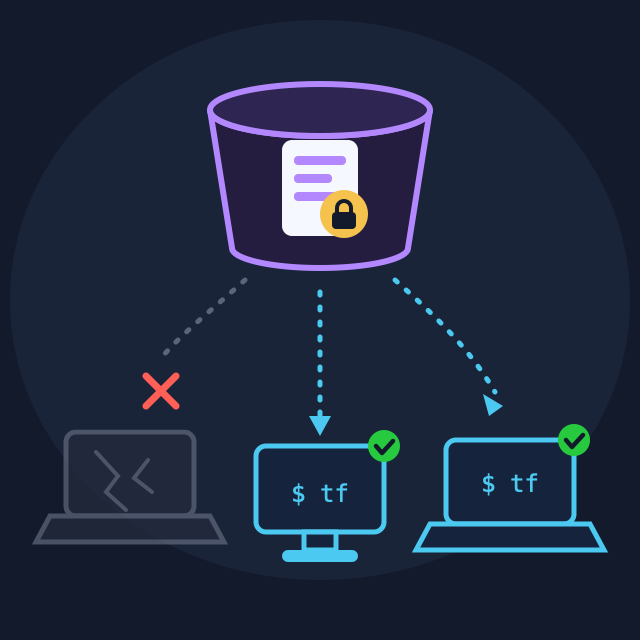
Today the five VMs backing my Talos cluster are declared in about a hundred lines of Terraform. This post covers what Terraform actually brings to a homelab, the Proxmox-specific gotchas that cost me evenings, and a question every Terraform beginner eventually asks: where do you put the state file? Mine started as a local file and recently moved to self-hosted S3 - and the reason for that move taught me more than the setup did.
What Terraform Actually Brings
If you’ve never touched Terraform, the pitch in one paragraph: instead of performing changes (click, type, script), you declare the result you want in text files, and Terraform figures out what to do. This is Infrastructure as Code (IaC) - and the shift from imperative (“create a VM”) to declarative (“a VM with these properties exists”) is the entire trick.
Three pieces make it work:
- Code -
.tffiles describing the desired world: “five VMs, 2 cores, this ISO, these MAC addresses.” - State - a file (
terraform.tfstate) recording what Terraform believes it has created, and which real-world object each declaration maps to. - Plan - the killer feature.
terraform plancompares code against state against reality and prints the exact diff before anything happens:
Plan: 1 to add, 2 to change, 0 to destroy.That preview transforms infrastructure work. Changing RAM on all five VMs is a one-line edit plus a review of the diff. Rebuilding a dead node is terraform apply. And the repo is the documentation - the answer to “how is node 3 configured?” is a file, versioned in git, next to everything else that runs the cluster.
graph LR
    CODE[.tf files
desired state] --> PLAN[terraform plan]
    STATE[tfstate
known state] --> PLAN
    REAL[Proxmox API
actual state] --> PLAN
    PLAN -->|diff| APPLY[terraform apply]
    APPLY -->|create / change / destroy| VMS[5 Talos VMs]

    style PLAN fill:#ae81ff,stroke:#272822,color:#fff
    style VMS fill:#ae81ff,stroke:#272822,color:#fff
The Stack: Providers and Least Privilege
Terraform itself knows nothing about Proxmox. Providers are its plugins - each one teaches Terraform an API. I use two:
required_providers {
  proxmox = {
    source  = "Telmate/proxmox"
    version = "3.0.2-rc07"
  }
  talos = {
    source  = "siderolabs/talos"
    version = "~> 0.7"
  }
}
The Telmate provider talks to the Proxmox API to manage VMs. The Talos provider is a bonus I’ll come back to.
Before writing any HCL, spend ten minutes in Proxmox on least privilege: a dedicated TerraformProv role with only the permissions Terraform needs (VM.*, Datastore allocation, Sys.Audit…), a dedicated terraform-prov@pve user, and an API token for it. Terraform never sees a root password, and if the token leaks, it can be revoked and its blast radius is bounded. The token secret is the only real secret in this whole setup - remember that for the state discussion.
Declaring the Fleet
The heart of my configuration is a map, one entry per node, fed to a single resource via for_each:
talos_nodes = {
  "talos-node01" = { target_node = "pve1", mac_address = "BC:24:11:00:00:01", vmid = 5001 }
  "talos-node02" = { target_node = "pve2", mac_address = "BC:24:11:00:00:02", vmid = 5002 }
  "talos-node03" = { target_node = "pve3", mac_address = "BC:24:11:00:00:03", vmid = 5003 }
  "talos-node04" = { target_node = "pve4", mac_address = "BC:24:11:00:00:04", vmid = 5004 }
  "talos-node05" = { target_node = "pve5", mac_address = "BC:24:11:00:00:05", vmid = 5005 }
}
resource "proxmox_vm_qemu" "talos" {
for_each = var.talos_nodes
name = each.key
vmid = each.value.vmid
target_node = each.value.target_node
...
}Adding a node is adding a line. Three deliberate choices in that map:
- Static MAC addresses. The VMs don’t get IPs from Terraform or cloud-init - they get DHCP reservations keyed on these MACs. The IP plan lives in one place (the DHCP server), and Talos machine configs can stay identical across nodes with a simple DHCP patch.
- Pinned VM IDs (5001-5005). A reserved range makes Terraform-managed VMs instantly recognizable in the Proxmox UI, and no clicked-together experiment can collide with them.
- One VM per physical host (
target_node). Kubernetes already provides the redundancy; spreading nodes across hosts means a Proxmox host failure costs exactly one Talos node - which the cluster is designed to survive.
Two lifecycle switches I’m glad I added
mount_iso = true|false   # attach the Talos installer ISO, or an empty CDROM
vm_state  = "running"|"stopped"
mount_iso handles the install-vs-run lifecycle: true for first boot (VM boots the Talos installer), false afterwards (boot from disk). vm_state is a fleet-wide power switch - terraform apply -var="vm_state=stopped" shuts the whole cluster down cleanly for host maintenance.
VM Settings That Matter for Kubernetes
Defaults are for generic VMs. A few settings earn their explicit declaration on k8s nodes:
cpu {
  cores = 2
  type  = "host"   # passthrough: full CPU features, best performance
}
memory  = 2048
balloon = 0        # ballooning OFF - critical
bios    = "seabios"
balloon = 0- memory ballooning lets the host reclaim RAM from guests on pressure. The kubelet and etcd base every decision on the RAM they think they have; the host silently taking some back produces exactly the kind of mysterious pressure-and-eviction behavior you’ll never enjoy debugging. Off, always, on k8s nodes.cpu.type = "host"- passes the physical CPU through instead of emulating a generic one. Faster, and modern instruction sets stay available. The cost: the VM can’t live-migrate to a host with a different CPU - irrelevant here, since each node is pinned to its host anyway.- Everything explicit. My module states values the provider would default correctly today - because provider upgrades change defaults, and every value written down is one less phantom diff in next year’s
terraform plan.
The War Story: Phantom Disk Swap
Every post in this series gets one. Here’s Terraform’s.
The VM has two disk entries: the main virtio0 disk and an ide2 CDROM. The Telmate provider matches disk blocks to real disks by position in the list, not by slot name. My blocks were ordered disk-then-cdrom; the Proxmox API returns cdrom-then-disk. Result: every terraform plan proposed to “swap” the two devices - a phantom change that, if applied, would have broken boot on all five nodes.
# Block order MUST match the Proxmox API's order (ide2 first, virtio0 second).
# The provider matches disks by POSITION, not by slot - reversed order
# produces a phantom virtio0 <-> ide2 swap in every plan.
disk {
  slot = "ide2"
  type = "cdrom"
  ...
}
disk {
  slot = "virtio0"
  type = "disk"
  ...
}
Two lessons. First, the fix is boring - reorder the blocks - but the knowledge is fragile, so it lives in a comment right where the next me will trip over it. Second: never apply a plan you don’t understand. The plan showing a change you didn’t make isn’t noise to click through; it’s the tool doing exactly its job.
The Bonus Provider: Talos Secrets and Configs
The siderolabs/talos provider ties the two layers of the repo together:
resource "talos_machine_secrets" "this" {}

data "talos_client_configuration" "this" {
  cluster_name         = "homelab"
  client_configuration = talos_machine_secrets.this.client_configuration
  ...
}

resource "talos_cluster_kubeconfig" "this" {
  client_configuration = talos_machine_secrets.this.client_configuration
  node                 = var.talos_endpoints[0]
}
My cluster predates this setup, so its existing secrets were imported (terraform import pointed at talosSecrets.yaml). From there, terraform output -raw talosconfig and -raw kubeconfig regenerate client credentials on demand - one more “which file is current?” problem deleted.
But notice what just happened: the entire Talos secrets bundle now lives inside the Terraform state file. Which brings us to the question I promised.
Where the State Lives: A Journey
First, understand what’s inside a state file. It’s not just resource mappings - it records every attribute Terraform has seen, in plaintext. Mine contains:
- The Proxmox API token secret (passed as a variable, echoed into state)
- The complete Talos secrets bundle - every cluster CA and key, courtesy of
talos_machine_secrets
sensitive = true on a variable only redacts terminal output. The state file itself is always plaintext. Treat every tfstate as a secrets file, because it is one. That single fact drives every placement decision below.
Chapter 1: local and gitignored
For a long time my answer was deliberately unfashionable: a local terraform.tfstate, listed in .gitignore, never committed anywhere. The reasoning held up:
- Plaintext secrets rule out committing it as-is.
- Remote backends earn their complexity by giving teams locking and a shared source of truth - I’m one person.
- Losing it was annoying, not catastrophic: every authoritative secret lives SOPS-encrypted in git (
talosSecrets.yaml, the Proxmox token interraform.tfvars.enc), so the state was a rebuildable index - re-import the secrets, re-import five VMs by ID, done.
The flaw in chapter 1
Writing down your own architecture is a dangerous activity: drafting this very post made the weakness obvious. Local state meant the cluster could only be operated from one laptop. Everything else in the repo already survived a machine loss - git clone plus one age key restores the full toolchain anywhere. The state file was the one artifact tied to a single disk. “Rebuildable in an hour” is a fine answer to data loss; it’s a terrible answer to “my laptop died on Tuesday and I want to apply a change on Wednesday from the desktop.”
So it became a homelab principle: any machine can manage the cluster; no single computer is special. Local state violates it. Time for chapter 2.
Chapter 2: self-hosted S3
The requirements practically wrote themselves: not on any one workstation, not inside the five VMs the state manages (more on that below), no external cloud dependency, and with locking. The answer was Garage - a lightweight, single-binary, self-hosted S3 server built for exactly this scale - running on the NAS, with a dedicated terraform bucket:
terraform {
  required_version = ">= 1.10"   # for use_lockfile: native S3 locking

  backend "s3" {
    bucket         = "terraform"
    key            = "homelab-cluster/terraform.tfstate"
    region         = "garage"
    endpoints      = { s3 = "http://192.0.2.20:3900" }
    use_path_style = true
    use_lockfile   = true               # lock object in the bucket itself
    skip_credentials_validation = true  # Garage has no STS
    skip_region_validation      = true
    skip_metadata_api_check     = true
    skip_requesting_account_id  = true  # ...and no IAM
    skip_s3_checksum            = true  # Garage S3 compat
  }
}
Two things worth unpacking for beginners:
- Locking. If two
terraform applyruns write state concurrently, the file gets corrupted - that’s why remote backends lock. The classic AWS answer required a DynamoDB table just for the lock; since Terraform 1.10,use_lockfile = trueimplements the lock as an object in the same bucket. One less moving part, and it works on any S3-compatible server. - The
skip_*wall. Garage speaks the S3 storage API but has none of AWS’s identity machinery (STS, IAM, metadata endpoints). Without these flags, Terraform tries to validate credentials against services that don’t exist. This block is effectively the “self-hosted S3” starter kit - the same set works for MinIO.
The backend credentials (a Garage key scoped read/write to this one bucket) follow the repo’s SOPS pattern: encrypted in git as backend-s3.env, decrypted straight into environment variables by the just recipes - never written to disk in plaintext:
BACKEND_ENV := 'set -a; eval "$(sops -d terraform/backend-s3.env)"; set +a'

plan:
    {{BACKEND_ENV}}
    terraform -chdir=terraform plan -var-file=terraform.tfvars.enc
A gotcha for macOS users: the obvious idiom,
source <(sops -d file), intermittently loads nothing - process substitution via/dev/fdraces with sops on macOS, and you get phantom empty credentials with no error.eval "$(sops -d file)"is boring and reliable.
The migration itself is a one-time, pleasantly anticlimactic operation wrapped in just terraform::migrate-state: back up the local state file, run terraform init -migrate-state, answer yes, verify plan says No changes, delete the local files.
The blast-radius rule survives
One requirement above deserves its own paragraph, because it’s the mistake I most wanted to avoid. Kubernetes can host S3 backends beautifully - and this state manages the VMs underneath that Kubernetes. Store it there, and the day the cluster is down is the day Terraform can’t run to fix it. Never store state inside the thing the state manages. Garage on the NAS sits outside the five VMs, so a dead cluster and a usable state file can coexist.
Backups: the plaintext problem, solved properly
Remote state didn’t change the “state is a secrets file” fact - now it’s a secrets file on the NAS. So the state gets a weekly encrypted backup, and this part runs in the cluster (which is fine - it’s a backup consumer, not the primary; if the cluster is down, the state itself is untouched on Garage):
A small CronJob (deployed by Flux like everything else) does two steps: rclone copies the terraform bucket to a scratch volume, then restic - a deduplicating backup tool that encrypts everything client-side - pushes it into a separate backup bucket, keeping 8 weekly and 6 monthly snapshots. The restic password lives in the password manager; without it the backup is unrecoverable noise, which is exactly the point.
graph TD
    subgraph "Git (encrypted, authoritative)"
        TS[talosSecrets.yaml - SOPS]
        TV[terraform.tfvars.enc - SOPS]
        BE[backend-s3.env - SOPS]
        TF[.tf files]
    end
    subgraph "Garage S3 on the NAS"
        ST[terraform bucket
tfstate + lock]
        BK[backup bucket
restic, encrypted]
    end
    subgraph Reality
        PX[Proxmox VMs 5001-5005]
    end

    TF --> ST
    TV -->|-var-file| ST
    BE -->|env creds| ST
    ST <-->|plan / apply, any machine| PX
    ST -->|weekly CronJob
rclone + restic| BK

    style ST fill:#ae81ff,stroke:#272822,color:#fff
    style BK fill:#ae81ff,stroke:#272822,color:#fff
One companion trick that survived from chapter 1: the variables file is named terraform.tfvars.enc - the non-standard extension isn’t just labeling. Terraform auto-loads any *.tfvars file it finds, and auto-loading a SOPS-encrypted file produces gloriously confusing parse errors. The .enc name opts out of the magic; every command passes it explicitly via -var-file.
If you adopt one thing from this section: place your state by asking which machine must be allowed to die. Local state is legitimate while you accept that losing one disk pauses operations. The moment “any machine can manage the cluster” becomes a principle, the state needs a home that isn’t a workstation - and a self-hosted S3 box plus SOPS-encrypted credentials gets you there without renting a cloud.
The Alternatives
| Approach | What it is | Why I moved on |
|---|---|---|
| Proxmox UI | Click VMs into existence | No record, no diff, no rebuild story - the config lives in your memory |
qm scripts | Proxmox CLI in bash | Imperative: runs once, can’t tell you what changed since, re-running is undefined |
| Ansible | Convergent playbooks | Solid middle ground, but no plan-style diff against reality and no state to detect drift or orphans |
| Pulumi | IaC in a real language (Go/TS/Python) | Genuinely nice; for five VMs, HCL’s simplicity beats a general-purpose language |
| bpg/proxmox provider | The other Terraform Proxmox provider | Not an alternative to Terraform but to Telmate - see below |
That last row deserves honesty: the Proxmox provider landscape has two players, and I’m on a release candidate of Telmate (3.0.2-rc07) because its stable release lagged Proxmox API changes. The community momentum is with bpg/proxmox - actively maintained, better documented. Telmate works for me today, and its RC status is a known debt.
Ideas and Next Steps
Things on my list, in rough order:
- Evaluate migrating to
bpg/proxmox. Running an RC forever isn’t a plan. The migration cost is real (resource names differ, state surgery required) - a good future post. prevent_destroyon the VMs. One lifecycle block means no fat-fingeredterraform destroycan take out five etcd members in one keystroke. Cheap insurance I should have added already.- A restore drill for the state backup. The weekly restic backup exists; an untested backup is a hope, not a plan. One documented
restic restorewalkthrough, run once for real. terraform fmt -checkandvalidatein CI - the same local/CI parity idea as the rest of the repo: one just recipe, called from both sides.- Renovate on provider versions. My Renovate setup already watches Docker images; the
required_providersblock deserves the same automated nudges.
Key Takeaways
| Concept | What I Learned |
|---|---|
| Declarative wins | The repo records decisions, not click histories - rebuilds become apply |
plan is the product | Review every diff; a change you didn’t make is information, not noise |
| k8s VM settings | balloon = 0 always; CPU passthrough when nodes are host-pinned; declare defaults explicitly |
| Provider quirks | Telmate matches disks by list position - block order is load-bearing |
| State = secrets file | tfstate stores attributes in plaintext, sensitive = true only redacts output |
| Place state by principle | “Any machine can manage the cluster” rules out workstation-local state |
| Self-hosted S3 works | Garage + use_lockfile (TF ≥ 1.10): native locking, no DynamoDB, no cloud - the skip_* flags are the compat kit |
| Never store state in its own blast radius | A backend inside the managed cluster can’t help you when that cluster is down |
| Backups must out-secure the original | State backup = restic, client-side encrypted, password outside the repo |
Conclusion
Terraform didn’t make my VMs better - they’re the same five QEMU guests I could have clicked together. What changed is that their existence became reviewable: every setting has a line, every line has a git blame, and every change shows me its consequences before touching anything. For infrastructure that everything else depends on, that’s the difference between owning a system and merely having one.
This post also closes the loop on the repo tour: Terraform builds the VMs, Talos turns them into Kubernetes, just names every workflow, and SOPS keeps all of it safe to push. Next stop, someday: the Flux layer that turns git pushes into deployments.
Useful Resources: