Introduction
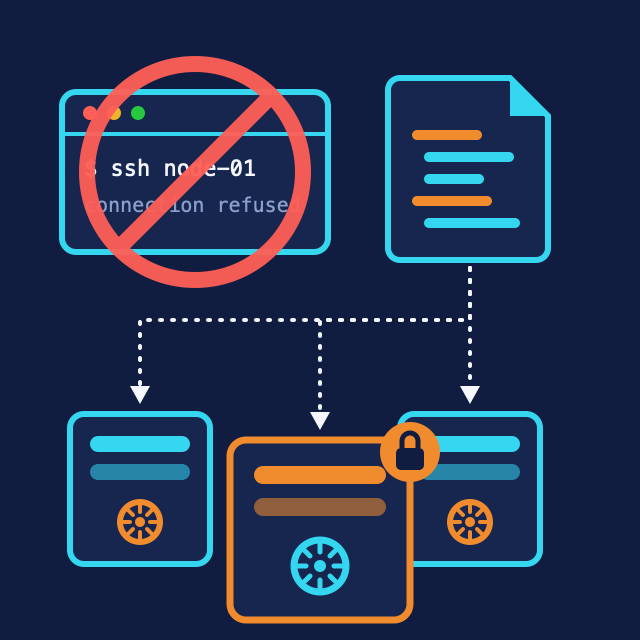
Here’s a fun exercise: SSH into one of my Kubernetes nodes.
You can’t. Not because of a firewall rule or a hardened sshd_config - there is no SSH daemon. There’s also no shell, no package manager, no systemctl, and no /etc worth editing. The node runs exactly one thing: Kubernetes. Everything else was removed on purpose.
That’s Talos Linux, the operating system running the five nodes of my homelab cluster. This post is the first in a series about how I run it: what Talos actually is, why I picked an OS I can’t log into, and how a cluster gets bootstrapped when your only tool is an API. Later posts will build on this one - configuration workflow, secrets management, and upgrades each deserve their own write-up.
What Talos Actually Is
Talos is a minimal Linux distribution built for exactly one purpose: running Kubernetes. The mental shift is that the OS stops being a general-purpose machine you administer and becomes something closer to firmware for your cluster:
- Immutable: the root filesystem is read-only and ships as a single image. You don’t patch a Talos node; you replace its image.
- API-driven: all management goes through a gRPC API secured by mutual TLS, using the
talosctlCLI. Want logs, service status, a reboot, a config change? API call. - Declarative: the entire node - disks, network, kubelet flags, certificates - is described by one YAML document, the machine config. The node continuously reconciles itself against it.
- Minimal: no shell, no SSH, no package manager. The attack surface is the Kubernetes API, the Talos API, and nothing else.
If that sounds like Kubernetes philosophy applied to the OS layer, that’s exactly the pitch. Pods made processes declarative; Talos does the same for the machine underneath.
Why I Chose It
I’ll be honest about the trade-off first, because it’s real: when something is wrong with a node, you cannot SSH in and poke around. The first week, this feels like debugging with your hands tied. talosctl gives you logs, service states, mounts, network info - (talosctl dmesg, talosctl logs, talosctl get members) - but the muscle memory of ssh + htop + journalctl has to be unlearned.
What I got in exchange:
- The node is boring. Nobody ever “quickly fixed” something on a Talos node at 11 PM and forgot about it. There’s no way to. Configuration drift isn’t discouraged - it’s structurally impossible. The YAML in git is the node.
- Rebuild beats repair. A misbehaving node gets wiped and re-provisioned in minutes, and comes back identical. Pets become cattle, at the OS layer.
- Tiny surface to secure and update. No distro packages to patch, no CVE-of-the-week in some daemon I forgot was installed. OS updates are atomic image swaps with automatic rollback if the new version doesn’t boot.
- It’s free and self-hosted. The OS is open source; nothing phones home or requires a subscription for a homelab.
The honest verdict after running it: the constraint I feared most (no SSH) turned out to be the feature I value most. Every “how do I fix this?” became “how do I declare this?” - and declared things stay fixed.
My Topology
Five virtual machines on Proxmox (provisioned with Terraform - separate post someday), all five acting as control plane nodes with workloads allowed. IPs below are from the documentation range:
graph TD
    VIP[Virtual IP 192.0.2.10
Kubernetes API endpoint]
    VIP --> N1[talos-node01
192.0.2.11]
    VIP --> N2[talos-node02
192.0.2.12]
    VIP --> N3[talos-node03
192.0.2.13]
    VIP --> N4[talos-node04
192.0.2.14]
    VIP --> N5[talos-node05
192.0.2.15]

    style VIP fill:#ae81ff,stroke:#272822,color:#fff
Two homelab-pragmatic choices here:
- No dedicated workers. Five control-plane nodes with
allowSchedulingOnControlPlanes: truemeans every machine contributes both to etcd quorum and to actual workload capacity. Dedicated workers are the right call at work; at home they’re idle RAM. - A floating Virtual IP for the Kubernetes API. Talos has this built in - the control plane nodes elect a holder for a shared IP, so
kubectlkeeps working when any single node is down. No external load balancer, no keepalived VM to babysit.
The Machine Config Workflow
Everything about a node lives in its machine config. Rather than maintaining five hand-edited YAML files, Talos generates configs from a secrets bundle plus a stack of small patches - and the patches are the only thing I actually write. Mine, from the repo:
talos/patches/
├── allow-controlplane-workload.yaml   # schedule pods on control plane
├── cilium.yaml                        # no kube-proxy, Cilium CNI
├── dhcp.yaml                          # network via DHCP reservations
├── image-factory.yaml                 # custom install image (see below)
├── installation-disks.yaml            # which disk to install to
├── vip.yaml                           # the shared API virtual IP
└── nodes/                             # one tiny patch per node: static hostname
Each patch is refreshingly small. The entire “workloads on control plane” decision:
---
cluster:
  allowSchedulingOnControlPlanes: true
The virtual IP:
---
machine:
  network:
    interfaces:
      - deviceSelector:
          physical: true
        vip:
          ip: 192.0.2.10
From Zero to Cluster
The full bootstrap is four commands. First, generate the cluster’s secrets bundle - certificates, encryption keys, bootstrap tokens - once, and keep it safe (mine is SOPS-encrypted in git; that’s a future post):
talosctl gen secrets -o talosSecrets.yamlRender the machine configs from secrets + patches:
talosctl gen config homelab https://192.0.2.10:6443 \
  --with-secrets talosSecrets.yaml \
  --config-patch @patches/allow-controlplane-workload.yaml \
  --config-patch @patches/dhcp.yaml \
  --config-patch @patches/installation-disks.yaml \
  --config-patch @patches/image-factory.yaml \
  --config-patch-control-plane @patches/vip.yaml \
  --output rendered/
Apply to every node booted from the Talos ISO (--insecure is only for this first contact, before mutual TLS is established):
for ip in 192.0.2.11 192.0.2.12 192.0.2.13 192.0.2.14 192.0.2.15; do
  talosctl apply-config -n "$ip" -e "$ip" -f rendered/controlplane.yaml --insecure
done
Then bootstrap etcd once, against one node only, and grab the kubeconfig:
talosctl bootstrap -n 192.0.2.11 -e 192.0.2.11 --talosconfig rendered/talosconfig
talosctl kubeconfig -n 192.0.2.11 -e 192.0.2.11 --talosconfig rendered/talosconfig
kubectl get nodes   # five Ready nodes
That’s the whole OS installation story. No preseed files, no Ansible playbooks against a golden image, no apt upgrade ever.
Custom Images Without Building Images
One thing that confused me early: if the OS is an immutable image, how do you add things like a guest agent or GPU drivers?
The answer is the Talos Image Factory - a free service by Sidero Labs where you select system extensions and get back a pinned installer image. You pick extensions in a web UI, it gives you a schematic ID (a hash of your selection), and your install image becomes:
---
machine:
  install:
    image: factory.talos.dev/metal-installer/<SCHEMATIC_ID>:v1.13.2
My schematic bakes in three extensions:
siderolabs/qemu-guest-agent- Proxmox can see IPs and gracefully shut down VMssiderolabs/i915- Intel GPU drivers for hardware video transcodingsiderolabs/util-linux-tools- utilities some storage workloads expect
The schematic ID goes into a patch, gets committed, and every node install or upgrade uses the exact same image. Reproducibility without maintaining a single Dockerfile or Packer template.
What Day-2 Looks Like
A taste of operations, each deserving its own post:
- Config change: edit a patch → regenerate configs →
talosctl apply-config. Most changes apply without a reboot; Talos tells you when one is needed. - OS upgrade:
talosctl upgradewith a new image tag - the node cordons, drains, swaps the image, reboots, rejoins. One node at a time to preserve etcd quorum. (There’s a sharp edge here involving PodDisruptionBudgets and my single-instance PostgreSQL - that story is its own post.) - Secrets:
talosSecrets.yamland the rendered configs contain everything needed to own the cluster, so they live SOPS-encrypted with an age key. Also a future post.
Key Takeaways
| Concept | What I Learned |
|---|---|
| Immutable OS | You don’t patch Talos, you replace its image - drift is structurally impossible |
| API-only | No SSH/shell; talosctl is the sole management path, secured by mutual TLS |
| Machine config | One YAML defines the node; small composable patches define the cluster |
| All control plane | For a 5-node homelab, dedicated workers waste RAM; let the control plane work |
| Built-in VIP | Highly-available API endpoint with zero extra infrastructure |
| Image Factory | Custom images (extensions, drivers) from a schematic ID - no image pipeline |
Conclusion
Talos asks you to give up the most familiar tool in the sysadmin toolbox - the login shell - and it feels genuinely uncomfortable for about a week. Then the trade reveals itself: the node stops being a machine you administer and becomes a resource you declare, exactly like everything else in Kubernetes. My five nodes have been boring in the best possible way.
Next in this series: how the machine configs, Talos secrets, and Terraform variables all live encrypted in a public-safe git repo with SOPS and age - and the upgrade war story where a PodDisruptionBudget stopped a rolling upgrade dead.
Useful Resources: